miLLM User Manual
miLLM (Mechanistic Interpretability LLM Server) is an OpenAI-compatible LLM inference server with built-in support for Sparse Autoencoder (SAE) feature steering and real-time activation monitoring.
It answers a question ordinary inference servers can't: not just what the model says, but why — and what happens if you change it. Attach an SAE to a model layer, dial individual features up or down, and observe the causal effect on generated text through the same OpenAI API your existing tools already speak.
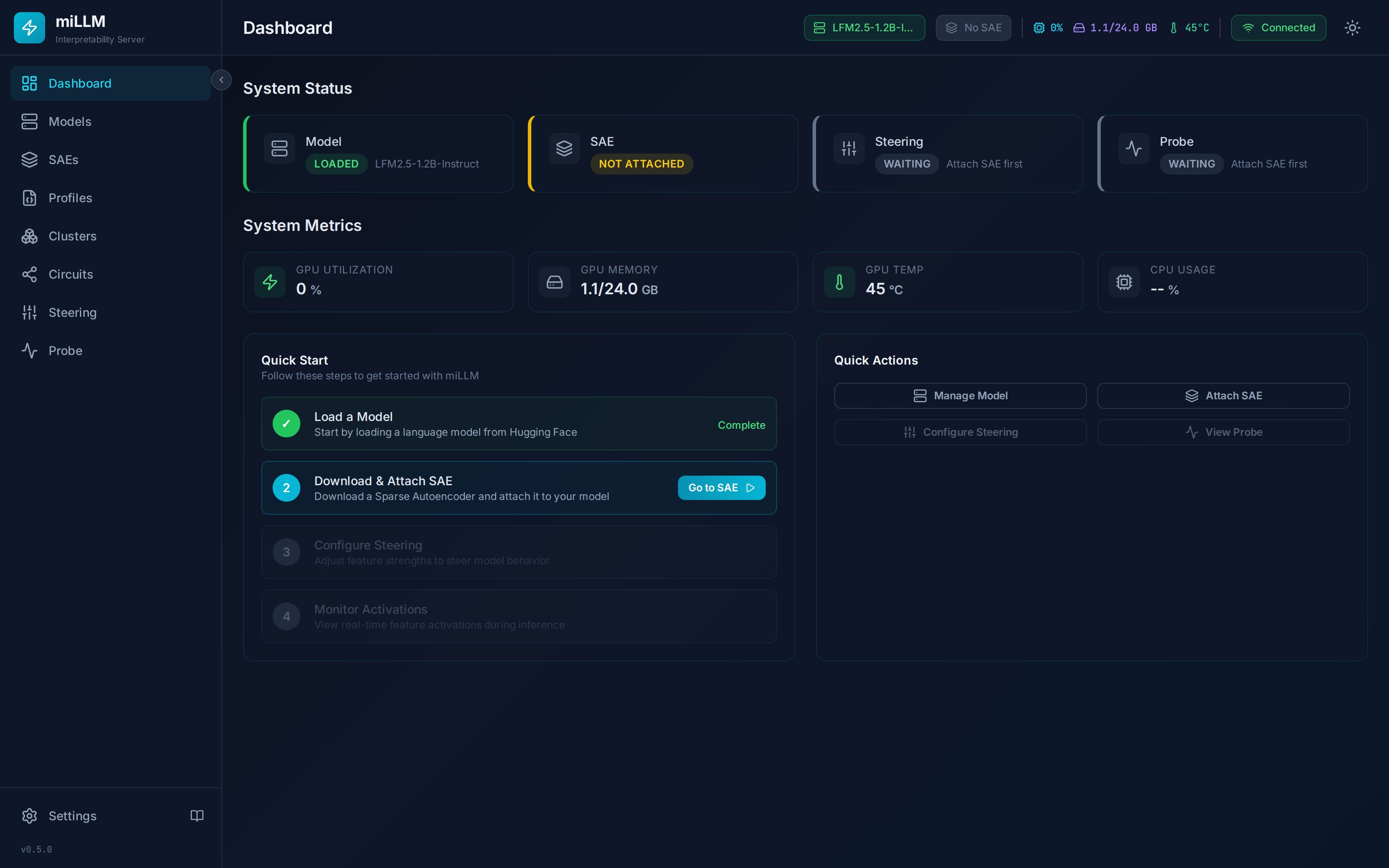
What miLLM Does
- Serves LLMs via an OpenAI-compatible API (
/v1/chat/completions,/v1/completions,/v1/embeddings) — works with the OpenAI SDK, Open WebUI, LangChain, or plaincurl - Attaches SAEs (SAELens format, e.g. GemmaScope) to any residual-stream layer of the loaded model
- Steers model behavior by adding scaled feature directions to the residual stream during inference — Neuronpedia-compatible strengths
- Monitors activations in real time to observe which features fire during inference
- Manages profiles to save, restore, export, and apply steering configurations — including per-request via the API
- Runs anywhere with Docker Compose or Kubernetes, one GPU is enough
Choose Your Path
| I want to… | Start here |
|---|---|
| Get running in 10 minutes | Quickstart |
| Understand what SAEs and steering actually are | Concepts: Interpretability |
| Steer Gemma with a GemmaScope SAE, end to end | Tutorial: Steering Gemma |
| Use miLLM as a backend for Open WebUI | Tutorial: Open WebUI |
| Script experiments in Python | Tutorial: Python Scripting |
| Look up an endpoint | API Reference |
| Configure the server | Configuration Reference |
| Fix a problem | Troubleshooting |
The Core Workflow
Everything in miLLM revolves around one loop:
- Load a model — download from HuggingFace (optionally quantized), load to GPU. Model Management →
- Attach an SAE — download a matching SAE and hook it to a layer. SAE Management →
- Steer — set per-feature strengths and watch outputs change. Feature Steering →
- Probe — monitor which features activate during inference. Probe Monitoring →
- Save — capture the configuration as a profile you can re-apply, export, or invoke per-request. Profiles →
Two APIs, One Server
miLLM exposes two API surfaces on the same port:
/v1/*— OpenAI-compatible inference. Drop-in replacement for the OpenAI API. Steering configured on the server applies transparently to every completion; aprofilerequest parameter applies a saved steering profile for a single request./api/*— Management. Models, SAEs, steering, monitoring, profiles, health. Everything the Admin UI does is available here, returning a consistent{success, data, error}envelope.
A WebSocket layer (Socket.IO) streams download progress, GPU metrics, steering changes, and live activations to the Admin UI — or to your own clients. WebSocket Events →