SAE Management
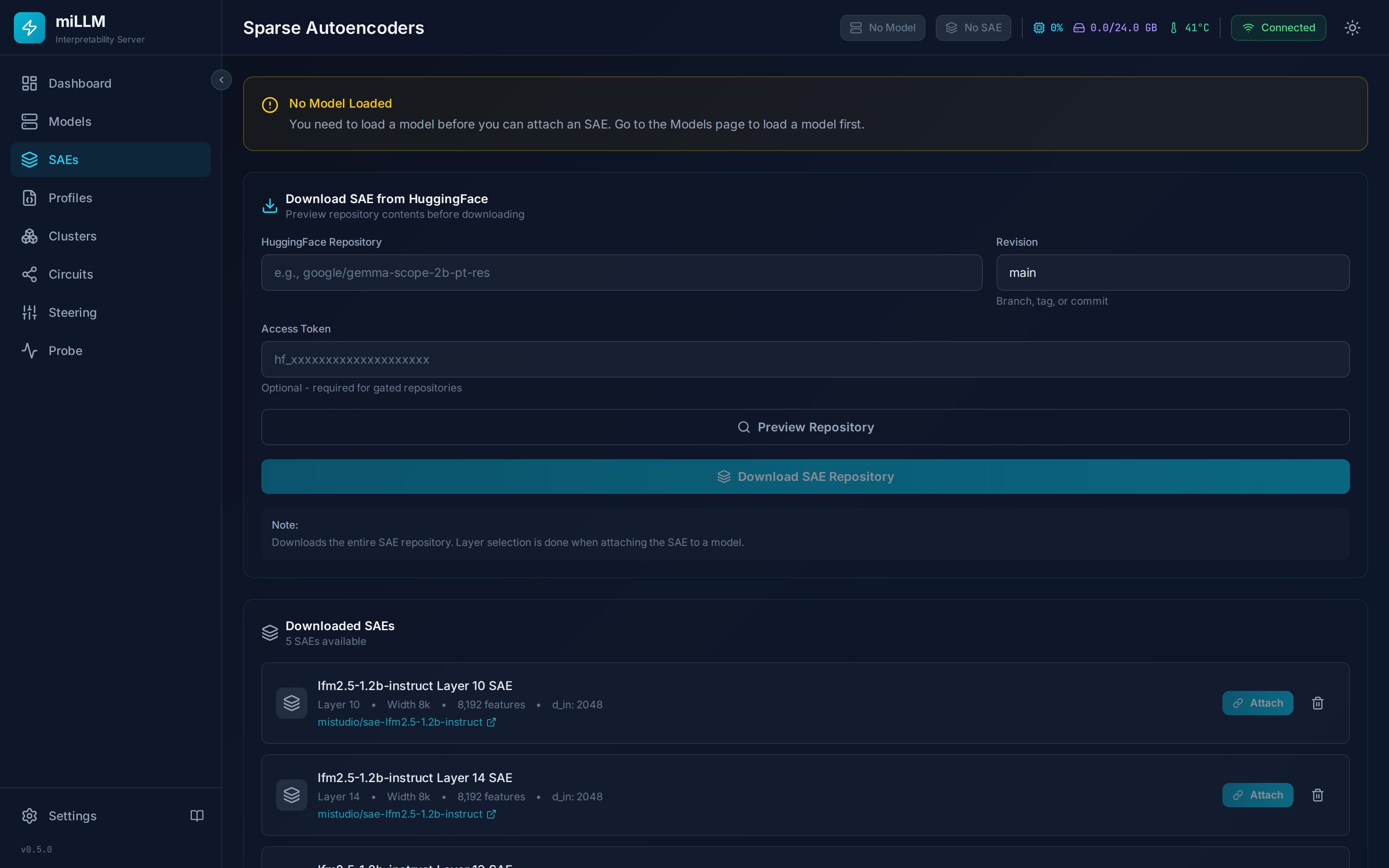
A Sparse Autoencoder must be attached to a model layer before steering or monitoring can work. miLLM downloads SAEs in SAELens format from HuggingFace and manages their lifecycle: download → cache → attach → detach → delete.
New to SAEs? Read Concepts: SAEs & Features first.
Downloading SAEs
- Navigate to SAEs in the sidebar
- Enter the SAE repository ID (e.g.,
google/gemma-scope-2b-pt-res) - Click Preview to browse available SAE files — GemmaScope repos contain hundreds, one per layer/width/sparsity combination
- Select from the grouped file listing:
- Files are grouped by layer and width
- Each group shows dimensions (
d_in × d_sae) and file size - Multi-select supported
- Click Download (gated repos need a HuggingFace token)
- Model size must match your loaded model (
2b,9b,27b) and its variant —-pt-SAEs are for the base (pretrained) models - Layer: middle layers (e.g. 12 of 26 for the 2B) give features that are abstract enough to be interesting and early enough to influence downstream computation
- Width: 16k is the practical default; 65k/131k give finer-grained features at more VRAM (sizing table)
average_l0: sparsity of the SAE; middle values (~50–100) balance feature quality and coverage
Attaching an SAE
Once cached, click Attach and choose the target layer (defaults to the SAE's trained layer). This:
- Runs a compatibility check — dimension mismatch (
d_in≠ modelhidden_size) is a hard error; layer or model-family mismatch is a warning - Loads the SAE weights to GPU, cast to the model's dtype
- Registers the forward hook on the target layer
- Locks the model to prevent accidental unloading
- Enables the steering and monitoring capabilities
The attach response includes:
layer_module_path— the exact module hooked (e.g.model.layers.12); verify this on unusual architecturesmemory_usage_mb— measured SAE footprintwarnings— any compatibility warnings
Only one SAE can be attached at a time. Detach before attaching another.
Attaching an SAE to any layer works mechanically, but features are only meaningful at the layer the SAE was trained on. miLLM warns (rather than blocks) on mismatch so you can experiment deliberately.
Detaching
Detach waits for in-flight inference (including continuous-batching requests) to drain, removes the hook, clears all steering values, disables monitoring, frees GPU memory, and unlocks the model. Re-attaching later always starts from a clean steering state.
On a compiled model (torch.compile), attach and detach each trigger a one-time recompilation on the next request (~20 s) — this is what guarantees the hook actually takes effect. See Architecture.
SAE Card Information
- d_in: Input dimension — must match the model's hidden dimension
- d_sae: Number of features (valid steering indices are
0 … d_sae−1) - Trained on / Layer: Provenance used by the compatibility check
- Width / L0: Parsed from the GemmaScope path for quick identification
API
Scriptable via the SAEs & Steering API: preview, download, cancel, attach, detach, delete, and attachment status (which also exposes the steering_apply_count diagnostic).